
Download MeGPT – AI‑Powered Digital Twin Creator, Free & Secure
Overview: What Is MeGPT and Why It Matters
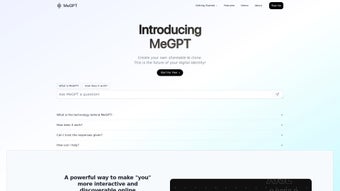
MeGPT is an innovative AI‑driven web application that enables individuals, creators, and businesses to generate a personalized “Digital Twin” – a virtual replica that mirrors your mannerisms, language style, and interests. By simply providing a brief textual description, the platform constructs an AI clone capable of natural conversation, answering questions, and representing your brand 24/7. The resulting clone can be shared instantly through a short megpt.xyz link, making it easy to embed on websites, social media profiles, or messaging platforms.
MeGPT is more than a novelty; it is a strategic tool that enhances discoverability, engagement, and the overall online presence of its users. Upcoming analytics features will give creators actionable insights into how often their Digital Twin is accessed, which interactions drive the most value, and where improvements can be made. Whether you’re a solo content creator looking to scale personal interaction, a brand seeking a consistent voice, or a team wanting to streamline customer support, MeGPT offers a versatile, secure, and future‑ready solution.
Its cloud‑based architecture eliminates the need for local installations, ensuring that anyone with a modern browser can benefit from AI‑powered engagement without compromising data privacy or performance.
Key Features & Benefits: Building a Powerful Digital Twin
- AI‑Generated Personality: Input a short description and let MeGPT craft a clone that captures your tone, humor, and expertise.
- Instant Shareable Link: Deploy a
megpt.xyzURL that works on any device without additional downloads. - Cross‑Platform Compatibility: The web‑based clone works seamlessly on Windows, macOS, Android, and iOS browsers.
- Analytics Dashboard (coming soon): Track visitor counts, interaction duration, and popular topics to refine your digital strategy.
- Privacy‑First Architecture: All user data is encrypted, and clones run on secure servers with GDPR compliance.
- Customizable Interaction Scripts: Add predefined responses, FAQs, or promotional messages to guide conversations.
- Brand Integration: Embed your logo, color palette, and custom avatars to keep the clone on‑brand.
These features translate into tangible benefits that directly impact your online performance. First, the AI clone acts as a constant ambassador, engaging visitors even when you’re offline, which boosts time‑on‑site, reduces bounce rates, and improves conversion potential. Second, the upcoming analytics component will transform qualitative interactions into quantitative data, allowing data‑driven decisions for content planning, marketing spend, and product development.
Third, the ease of sharing a single link eliminates technical friction for end‑users, fostering higher adoption across social channels, email signatures, and digital ads. Fourth, the privacy‑centric design ensures that both creators and their audiences feel safe, an increasingly important factor in today’s data‑aware environment. Finally, because MeGPT operates entirely in the cloud, you avoid the costs and maintenance associated with on‑premise AI solutions, making it a cost‑effective choice for startups and established enterprises alike.
Getting Started: Installation, Usage & Compatibility
Step‑by‑Step Installation
- Visit megpt.xyz on any modern browser (Chrome, Edge, Safari, or Firefox).
- Click the “Create Your Digital Twin” button and sign up using an email address or OAuth (Google, Apple).
- Enter a concise description of yourself or your brand – think of it as a mini‑bio that captures voice, tone, and key interests.
- Review the AI‑generated preview and make optional tweaks (adjust language style, add favorite phrases, or upload a custom avatar).
- Press “Generate Clone.” Within seconds, MeGPT provides a unique
megpt.xyz/yournamelink. - Copy the link and embed it wherever you like – website footer, email signature, or social media bio.
Using Your Digital Twin
Once live, visitors interact with the clone via a responsive chat widget that appears on the page. The AI responds in real time, handling queries, offering product recommendations, or simply chatting to keep users engaged. You can access the admin dashboard to monitor conversations, edit response scripts, and, when analytics become available, view detailed engagement metrics. The platform also supports webhook integrations, allowing you to route specific intents (e.g., “schedule a demo”) to external CRMs or calendar tools. Advanced users can embed the widget in iframe mode for deeper visual customization, while beginners benefit from the intuitive drag‑and‑drop script editor that requires no coding knowledge.
Compatibility
MeGPT is a cloud‑based web application, which means it runs on any device with a modern browser. It has been tested on Windows 10/11, macOS Ventura and later, Android 9+, and iOS 13+. No additional software installation is required, and the responsive design adapts to both desktop and mobile screen sizes, ensuring a smooth experience for all visitors regardless of operating system or device type.
Pros, Cons & Frequently Asked Questions
Pros
- Quick setup – create a functional AI clone in under five minutes.
- Cross‑platform accessibility via a simple URL.
- Future‑ready analytics for data‑driven optimization.
- Secure, GDPR‑compliant infrastructure.
- Customizable scripts let you align the clone with brand messaging.
- No local installation required, reducing technical overhead.
- Scalable architecture supports unlimited concurrent visitors.
Cons
- Advanced analytics are still in beta and not yet available.
- Customization options are primarily text‑based; visual styling is limited to avatars and color accents.
- Free tier includes MeGPT branding on the chat widget.
- Complex conversational flows may require iterative script tuning.
- Support response time can be longer for free‑tier users.
FAQ
Is MeGPT really free to use?
Yes, MeGPT offers a free tier that allows you to create and share a single Digital Twin with basic features. Premium plans unlock advanced analytics, custom branding removal, and additional script slots.
How secure is my data on MeGPT?
MeGPT uses end‑to‑end encryption for all stored data and complies with GDPR and CCPA regulations. Your personal description is never sold to third parties.
Can I integrate the Digital Twin with my existing CRM?
Yes. MeGPT supports webhook integrations, allowing you to forward specific intents (like “request a quote”) directly to tools such as HubSpot, Salesforce, or Zoho CRM.
What browsers are supported?
Any modern browser – Chrome, Edge, Safari, and Firefox – on desktop or mobile platforms. Older browsers may experience limited functionality.
How does the upcoming analytics feature work?
The analytics dashboard will display metrics such as total visits, average session length, most asked questions, and conversion rates. Data will be visualized in easy‑to‑read charts, and you can export reports for deeper analysis.
MeGPT delivers an impressive blend of simplicity and AI sophistication. The ability to generate a functional digital twin in minutes, combined with a secure, cross‑platform experience, makes it a standout tool for modern creators. While the free version carries branding and the analytics are still in beta, the roadmap promises substantial value for businesses seeking to automate engagement.
Conclusion: Should You Download MeGPT Today?
In a world where personal interaction is increasingly mediated by technology, MeGPT offers a practical, secure, and future‑ready way to maintain a human touch online. Its rapid setup, universal compatibility, and upcoming analytics give both solo creators and larger brands a competitive edge without the need for extensive development resources. While the free tier includes modest branding and advanced insights are still pending, the platform’s roadmap and core functionality justify a trial today. If you’re looking to boost engagement, provide 24/7 interaction, and gather actionable data, download MeGPT now and start building your digital twin – it’s free, secure, and just a click away.



.png)



